
Shown here is (colour, Fluorography, Colour without flash, slit lamp, diabetic, ICG, red free and external)
Select the image type, by clicking on the toolbar.
You then select the patient from a list.
Take the images, each time you take a photo it is displayed on the screen and saved to disc.At the end of a photography session, you close the imaging window and you see a window, like the following, of the images taken for the patient.
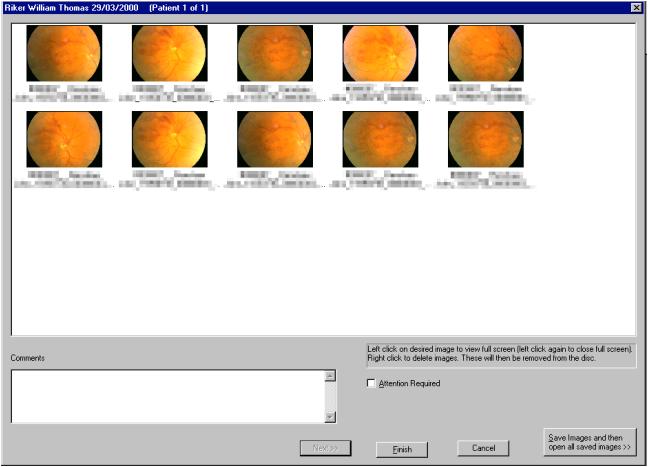
Right on the images you do not wish to save. Left click on an image to view it full size to evaluate it.
Then click Finish and the images are transferred.
You can also click the Save Images and the open all saved images button. This does just as it says, the images are saved and then they are opened on the screen so that you may perform image manipulations.